
▸ About this template
Owners hiring a commercial contractor want proof before a meeting: where you have built, what kinds of jobs, how you price them and how safely you work. This template puts all of that on the page, with dates, dollar figures and distances instead of adjectives. The demo firm is Coulee Constructors, a Calgary general contractor with its yard in Foothills Industrial.
The home page opens on a centred headline over a map of the city, where twelve schools, clinics, warehouses, ramps and bridges sit as pins you can filter by status and step through. Below come four recent handovers as expanding photo panels, the firm in four numbers on a chainage ruler, five sectors picked from a bar sized by last year's work, owners' words, the four stages a job goes through, the safety and winter record and the company story.
Seven pages ship together: home, services with a contract picker and a service area drawn as distances from the yard, projects with sector filters and jobs on site, one logistics centre's job file with monthly site reports, an about page with the team and an office and field filter, a fees page with three stages, a rate toggle and a budget calculator, and a questions page. Asphalt dark, frost white and flagging pink set the palette, with Overpass, Fira Sans and Fira Mono for type.
Everything opens on the canvas as real pages. Change the jobs on the map, the sectors, the people or a whole section by chatting, edit text in place, and publish when it reads like your own firm.
▸ What’s inside
- Home/
- Job map hero, recent handovers, the firm in numbers, sectors, owners' words, how a job runs, safety and winter record and the company story.
- Services/services
- Six services, a contract picker, own crews and trades, winter methods and the service area.
- Projects/projects
- Finished jobs with sector filters, owner quotes and jobs on site with progress.
- Nose Creek Logistics Centre/project
- One logistics centre's job file with facts, site reports, what it took and the owner's word.
- About/about
- Then and now, the team with an office and field filter, the president's word, house rules and apprentices.
- Fees/pricing
- Three fee stages with a rate toggle, a budget calculator, a risk ledger and payment terms.
- FAQ/faq
- Questions grouped by topic with an accordion.
▸ Best use cases
Showing owners where you build
Put your own jobs on the map with their status, sector and value. A facilities manager filters to what is on site now, steps through each pin and sees you already work near them, before reading a word of the about page.
Explaining how a contract is priced
Use the contract picker and the fee stages to show where the price is fixed and where it is open book. The budget calculator gives an owner a rough range for their building type, so the first call starts with real numbers.
Writing up a finished job
Keep the job file layout for a project you are proud of. It carries the facts, the monthly site reports, what the job took and the owner's own words, so a prospect sees how you run a building like theirs.
▸ Designed for
- General contractors building schools, clinics, warehouses and civil works
- Civil and road builders who bid public and private tenders
- Construction managers who want owners to see how a contract is priced
- Regional builders with their own crews working through winter
▸ More website templates
See all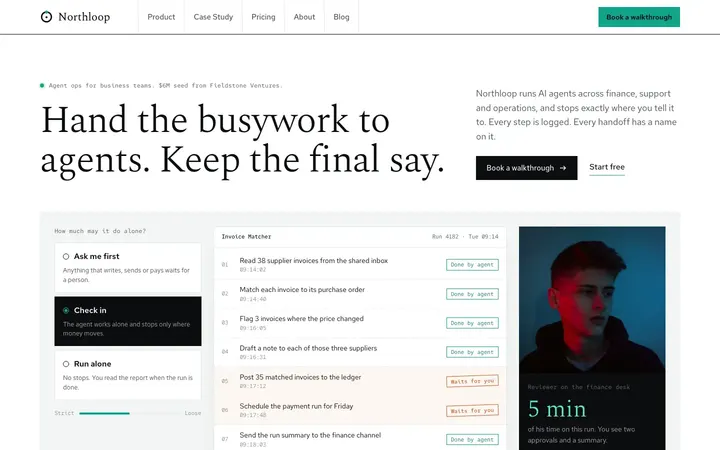 AI Agent Platform WebsiteA multi-page website template for an AI agent or automation product: an interactive autonomy console, proof board, pricing estimator, customer stories and blog.
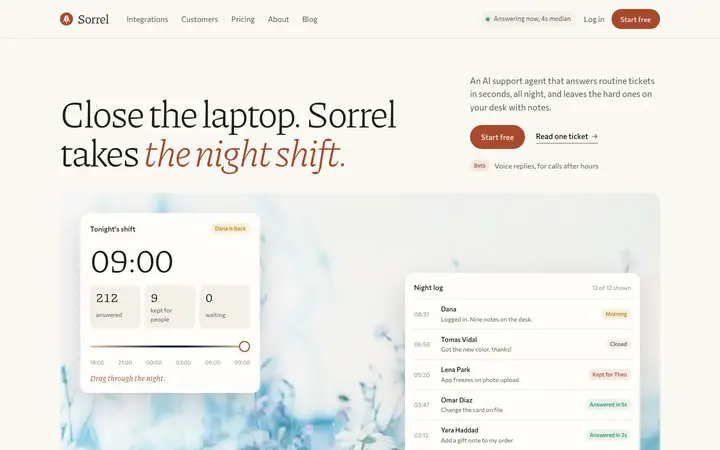 AI Customer Support WebsiteAn AI customer support website template with a night shift slider, an annotated ticket, house voice switch, seed-packet pricing, stories and a blog.
 Branding Agency WebsiteA branding agency website template for a small packaging and photography studio: a light box of film frames, ink-chip project index and swing-tag prices.