Interactive Slider Feature Teaser Video Template
Reveal four product capabilities as a pointer drags a slider beneath a bright prompt bar.
Choose this for a quick tour with four short capability statements. Each stop on the slider gives one idea a dedicated beat.
What’s in the film
- 01
Open the control
A pointer clicks the pill under the composer.
- 02
Drag through features
The slider advances through four labeled stops.
- 03
Resolve the mark
The camera pulls away and the brand turns back into view.
Best use cases
Show capabilities in stages
Order the stops from how users start to what they can ship, and give each stop one concrete result.
Customize in Video Studio
- The prompt-bar labels, tool pill and supporting logos
- The four slider labels and the short explanations at each stop
Edit with Studio chat
Use [opening prompt] and these four slider stops in order: [start], [capability], [workflow], [result]. Give every stop one brief caption and close on [brand].
Fine-tune manually
Edit each stop's short label and caption together. Preview the drag from the first stop to the last so each label has time to register.
More video templates
See all Dot Morph Product Features Video TemplateA square feature teaser in which coloured dots turn into a page grid, a service diagram and a stack of cards.
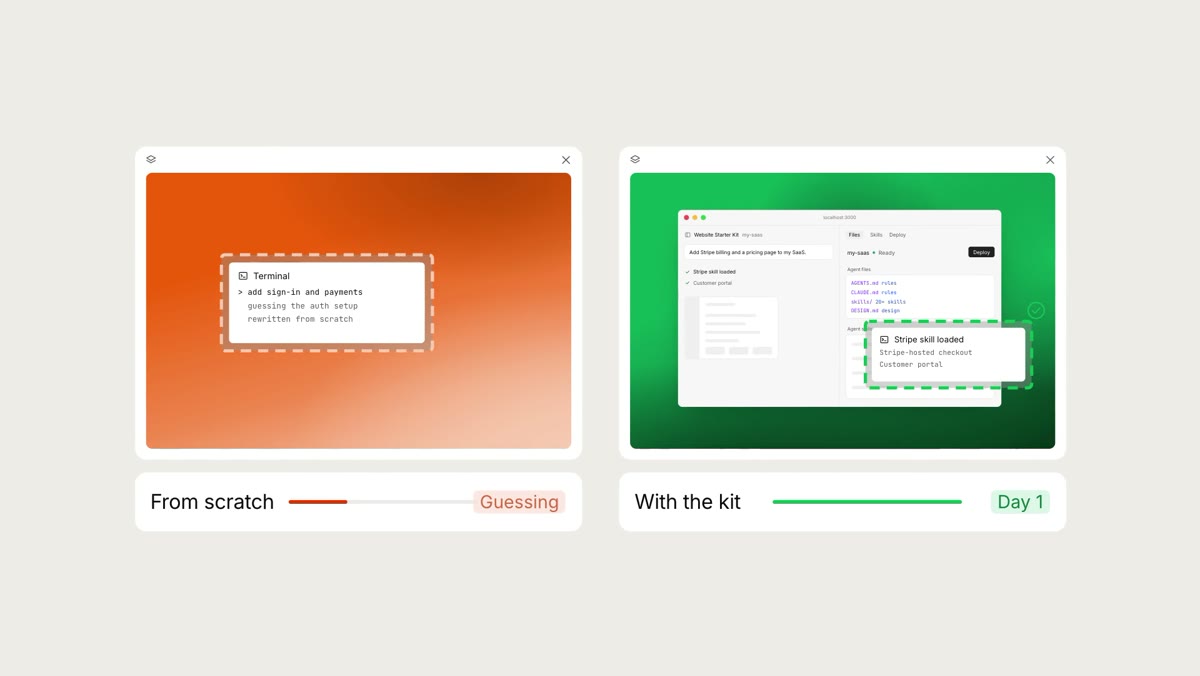 Split Screen Workflow Comparison Video TemplateCompare two workflows in a side-by-side race, with progress bars, error states and a working product preview.
 Payments Dashboard Showcase Video TemplateTurn a card reveal into a short tour of checkout, billing, email receipts and product analytics.